Server Record을 보고 싶어요! (맵 Record, 리플레이 사용법)
 P1gh
2026.07.19 18:21
👁 44
P1gh
2026.07.19 18:21
👁 44
This applies to KZ, Bunny Hop, and Surf servers.
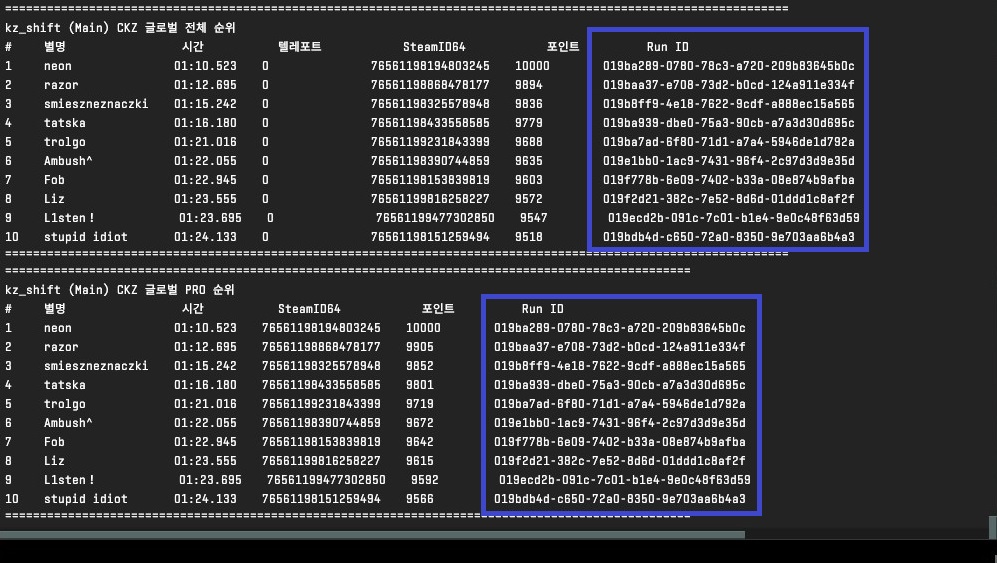
First, connect to the server and type !maptop in the chat.
The record will be output in the console window, and the records output differ by mode.
To switch modes, type an exclamation mark and the corresponding mode in the chat. (Example: !ckz)
KZ - VNL, CKZ
Surf - 64T, 85T, 102T, 128T, Source(66t)
Bunny Hop - 128T, Source(100t)
For KZ, there are maps where global records are listed, so using !maptop may also display global records.
KZ, 버니합, 서프 Server 모두 해당하는 내용입니다.
먼저, Server에 접속해서 !maptop 을 채팅창에 입력합니다.
이때 Record이 콘솔 창에서 출력되는데, 모드 별로 출력되는 Record들이 다릅니다.
모드를 전환하기 하려면 채팅창에 느낌표와 해당 모드를 입력합니다. (예시: !ckz)
KZ - VNL, CKZ
서프 - 64T, 85T, 102T, 128T, Source(66t)
버니합 - 128T, Source(100t)
KZ의 경우 글로벌 Record이 등재되는 맵들이 존재하기 때문에 !maptop을 사용하면 글로벌 Record이 같이 뜨기도 합니다.